Fact sheet
| Name | Family Chore Chart Pro |
|---|---|
| Status | Coming soon to the App Store |
| Developer | Dr. Shankar Dutt, Australia |
| Platforms | iPhone and iPad (iOS 17 or later), Mac with Apple silicon, Apple Watch (watchOS 10 or later, paired with iPhone), Home Screen and Lock Screen widgets |
| Category | Lifestyle |
| Price | 7-day free trial with full access and no payment up front, then Monthly US$3.99, Yearly US$24.99 or Lifetime US$59.99. One purchase covers the whole household. |
| Privacy | No ads, no analytics SDKs, no tracking, no developer server. Data syncs through the family's private iCloud (Apple CloudKit) and is shared only with people the family invites. |
| Languages | English; 10 currencies |
| Website | chorechartpro.duttlabs.app |
One-liner
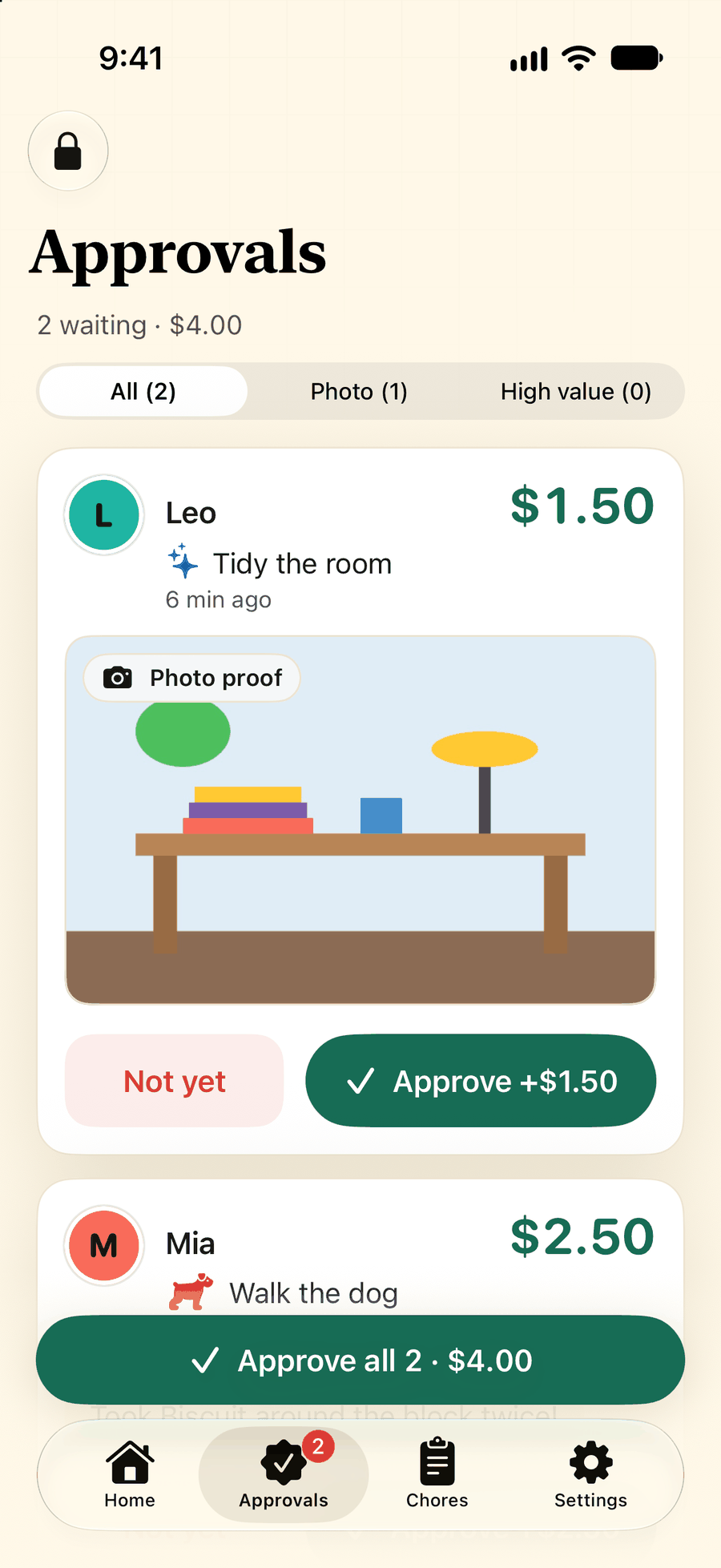
Family Chore Chart Pro is a chore chart and allowance tracker for Apple devices: kids check off chores, parents approve with optional photo proof, and allowance adds up, with every parent and kid on their own device.
Short description
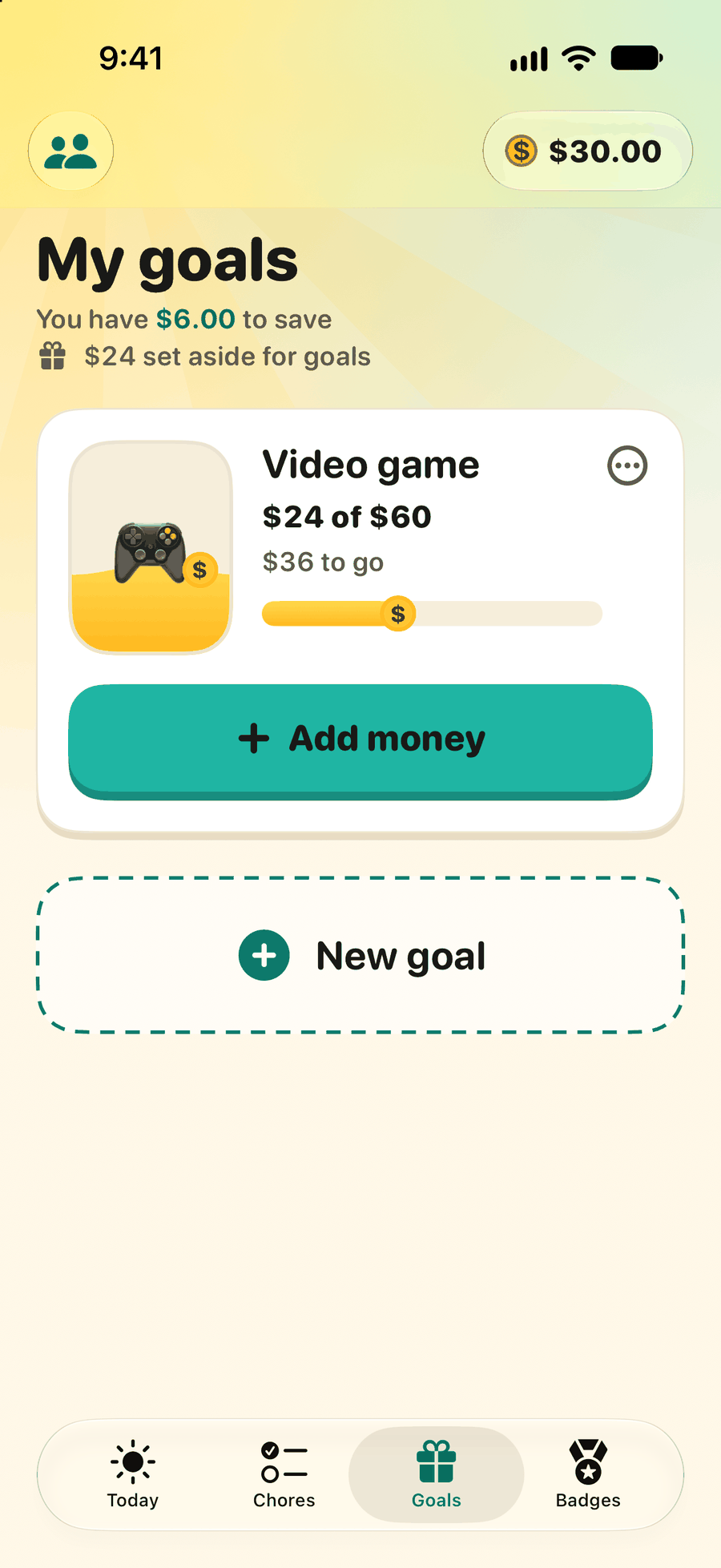
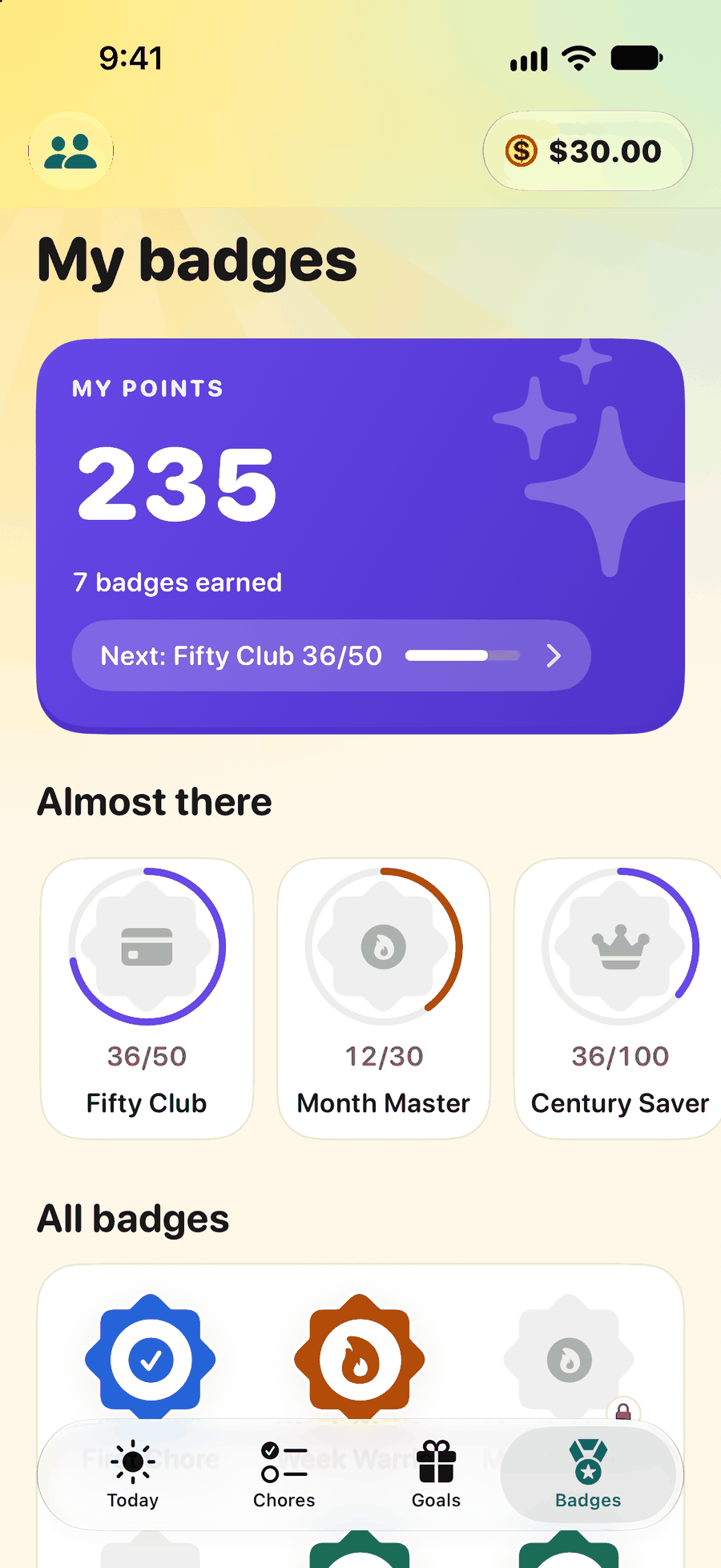
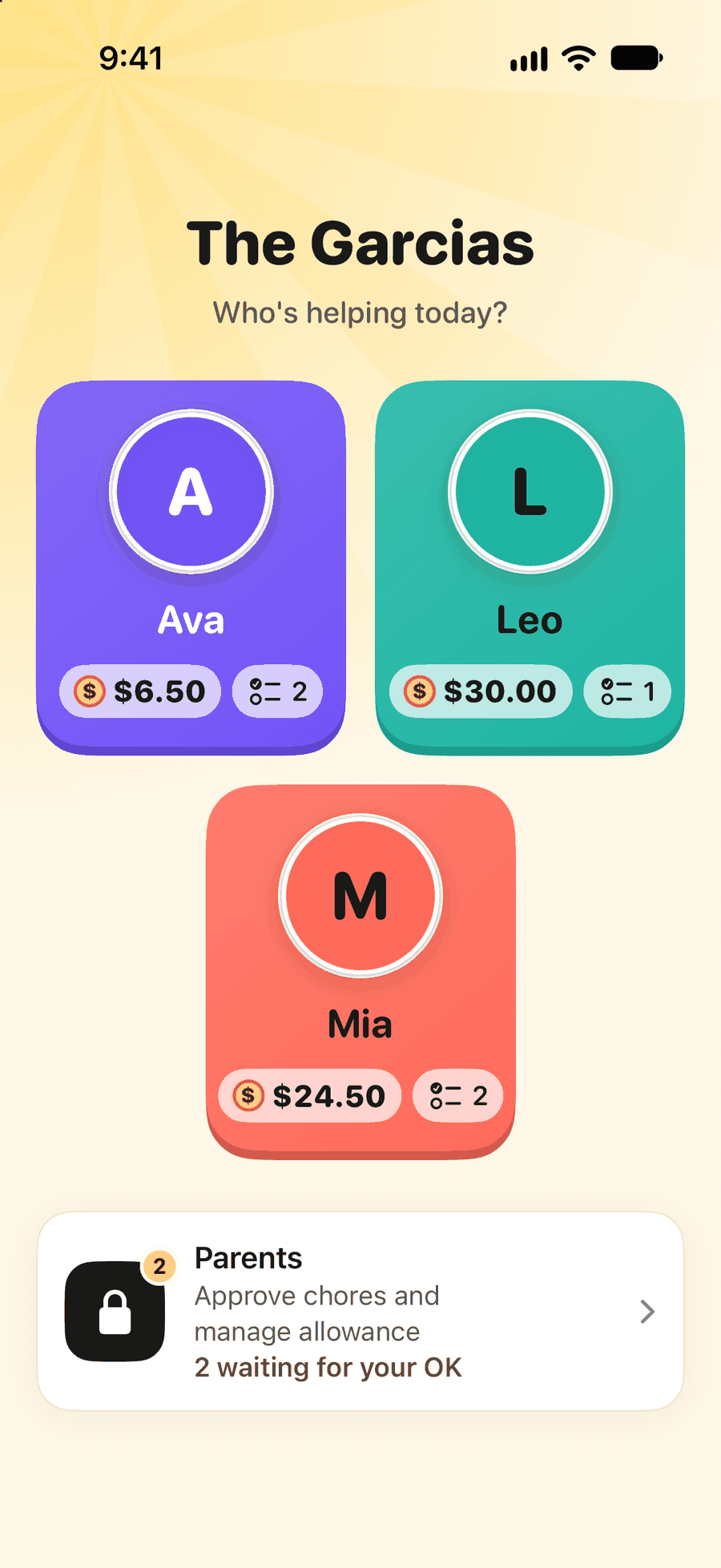
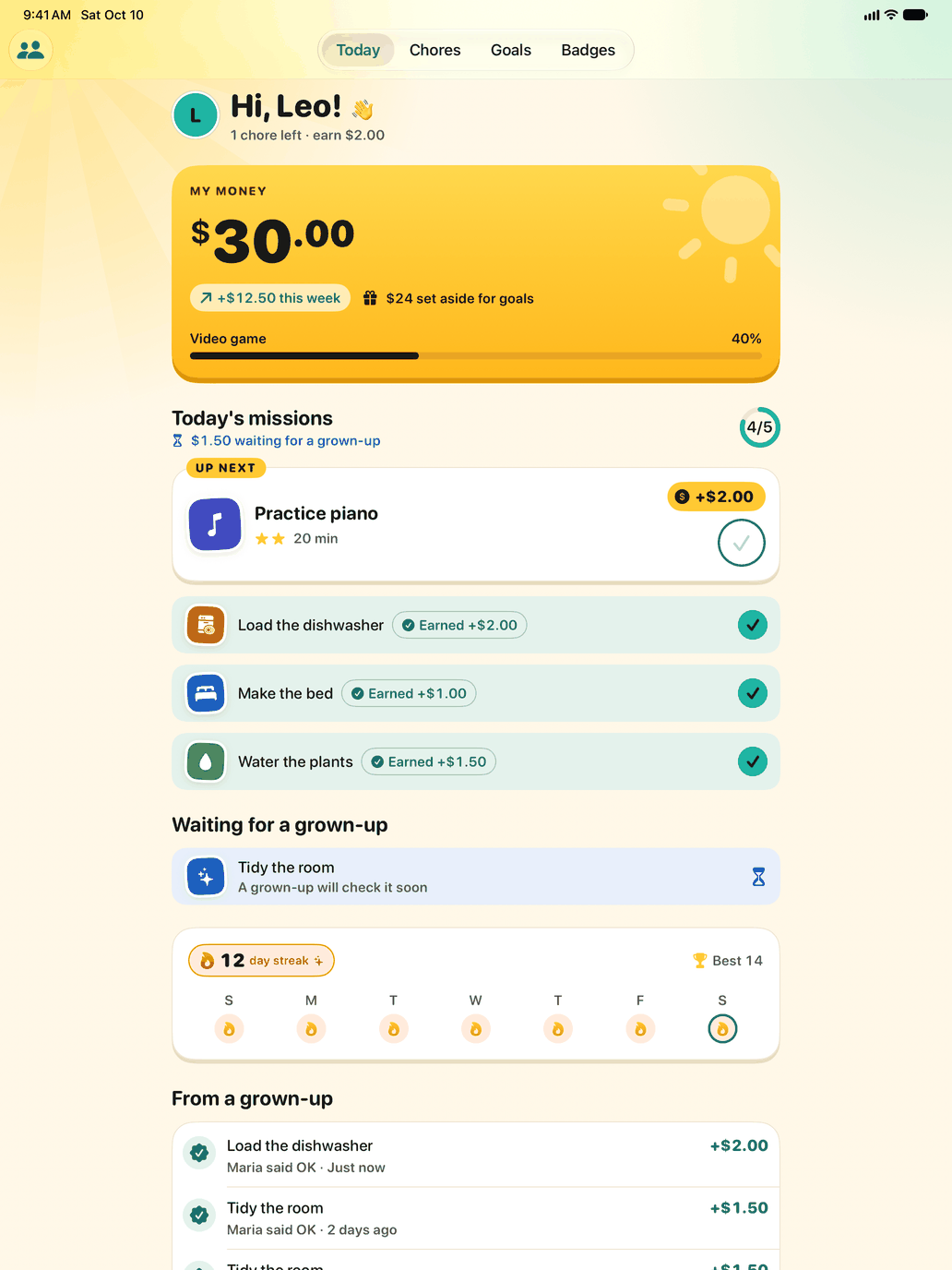
Family Chore Chart Pro turns chores, allowance and rewards into a routine the whole family can see. Parents create chores with values and schedules, approve finished work (with photo proof when they want it), and keep track of balances, bonuses, penalties, payouts and savings goals. Kids get a bright Kid Mode with today's chores, their balance, goals, streaks and badges.
Co-parents and kids can join from their own iPhone or iPad through iCloud sharing, or a family can share one iPad with a PIN-protected Parent Mode. One plan covers everyone the organizer invites. There are no accounts to create, and the app has no ads, no analytics SDKs and no developer server: data stays in the family's private iCloud.
Feature highlights
- Chores with values, schedules, difficulty and optional photo proof
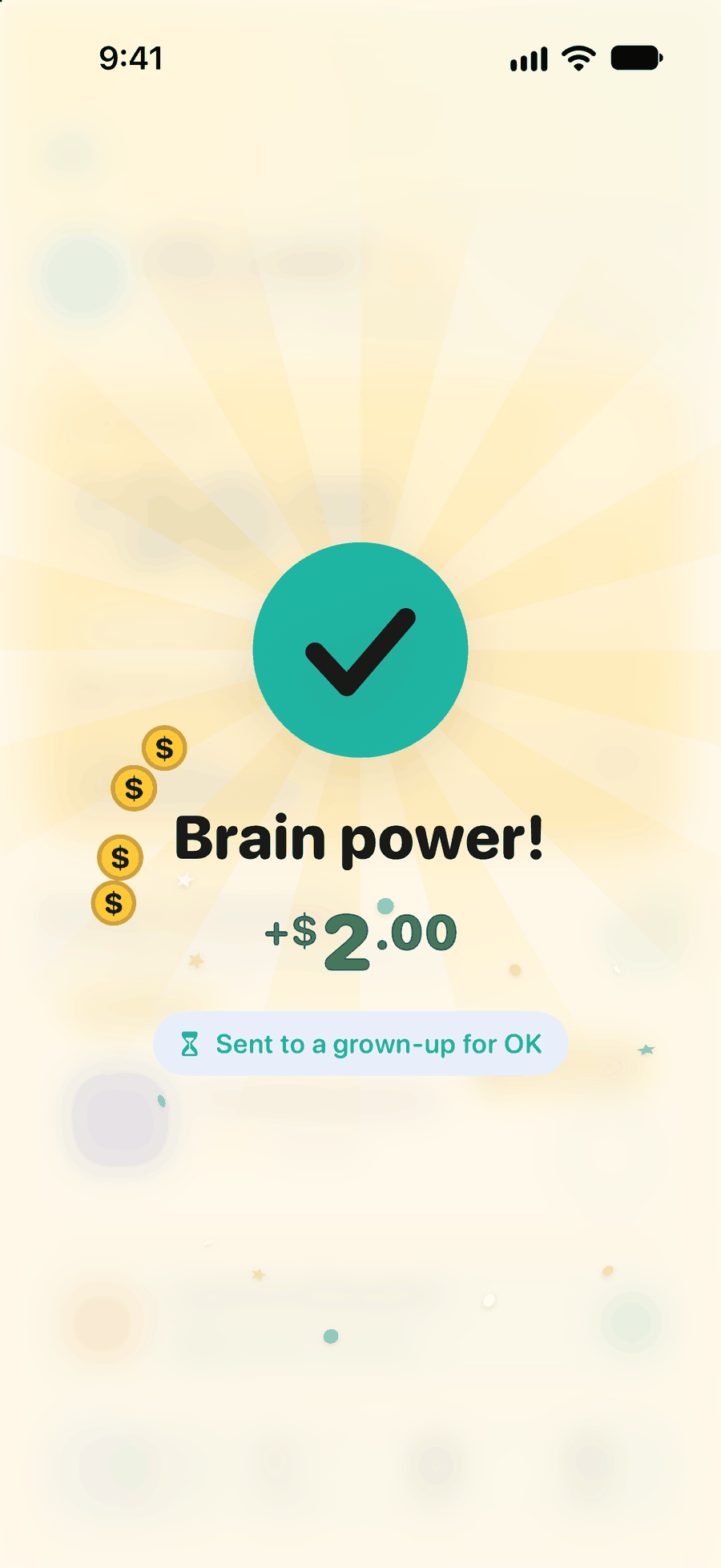
- Approval queue with photo proof, filters and approve-all
- Bonuses, penalties, payouts, weekly report and leaderboard
- Kid Mode with balance, savings goals, streaks and badges
- Family sharing across Apple Accounts: co-parents and kids' own devices
- Parent Mode PIN, with a Face ID or Touch ID reset
- Home Screen and Lock Screen widgets, Apple Watch app and Siri Shortcuts
- CSV export and 10 currencies
Screenshots and icon
Click an image to open the full-size file. The framed App Store screenshots (1320 × 2868 for iPhone, 2064 × 2752 for iPad) are available on request.
 App icon (PNG)




Contact
Press, review copies and partnership enquiries: shankarduttsgd@gmail.com